Development candidate · not accepted
Unified Project Workspace.
Pick up where you left off.
Know who said what.
The Unified Project Workspace is a local, single-user workspace for running AI-assisted development across several projects. It records what a coding session reported, keeps your own decisions and constraints apart from those reports, and prepares the brief for the next session. It is one project that joins the Project Dashboard with the ideas of Continuity, an earlier tool for keeping the decisions behind AI-assisted work.
An integration candidate that runs locally on one computer. It has not yet been accepted or put into use, development continues, and its phone layout has only been checked in emulation. No download or hosted version is offered.
- Kind
- Developer tools / AI-assisted work
- Platforms
- Web · private
- Stage
- Development candidate · not accepted
- Evidence
- Actual candidate build · fictional demo projects
Where it stands, and what is next.
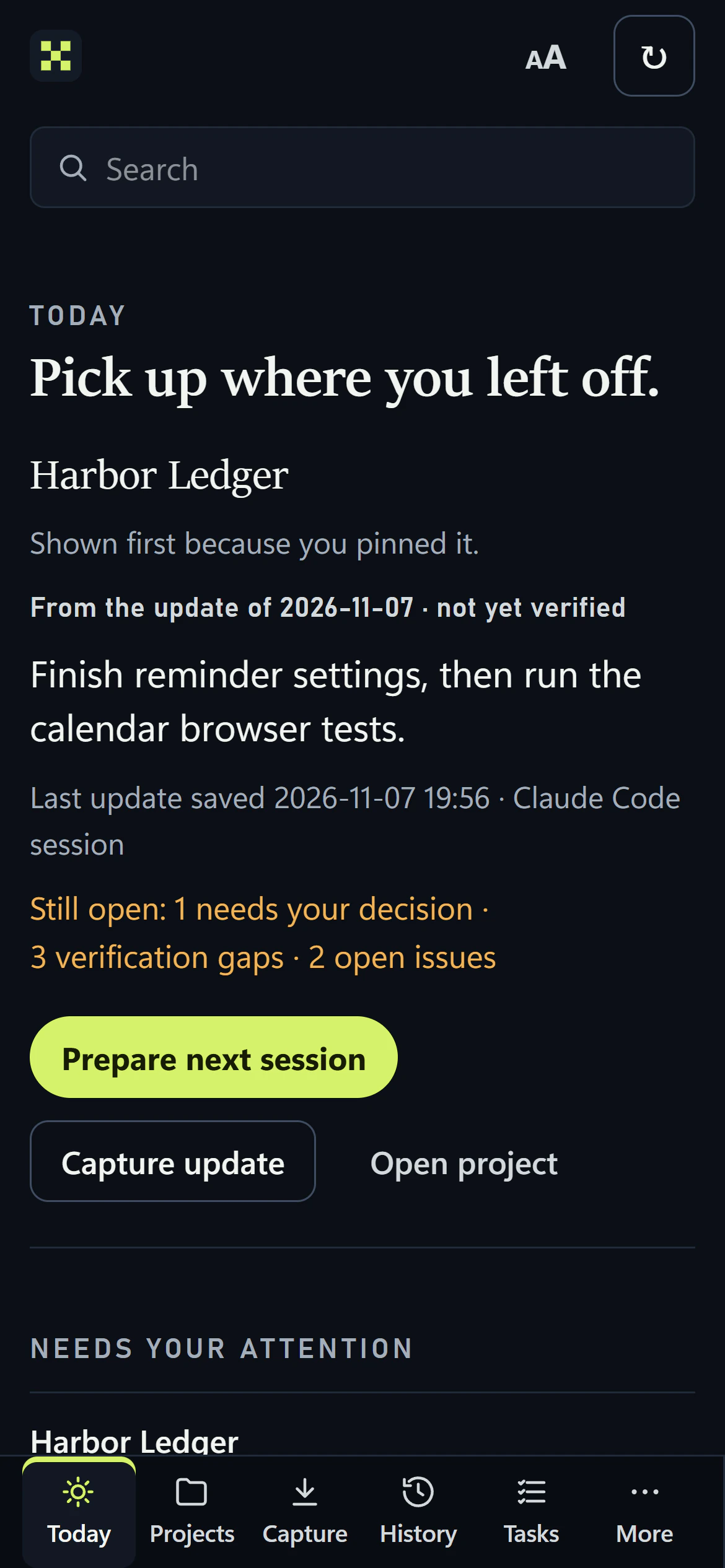
The pinned demo project comes first, with the reason it is first, its next action marked not yet verified, what is still open and the question waiting for a decision. A demo project page keeps the next action with its source label, the working copy and branch, and the last saved update with when it was written and saved. Every project shown is fictional.
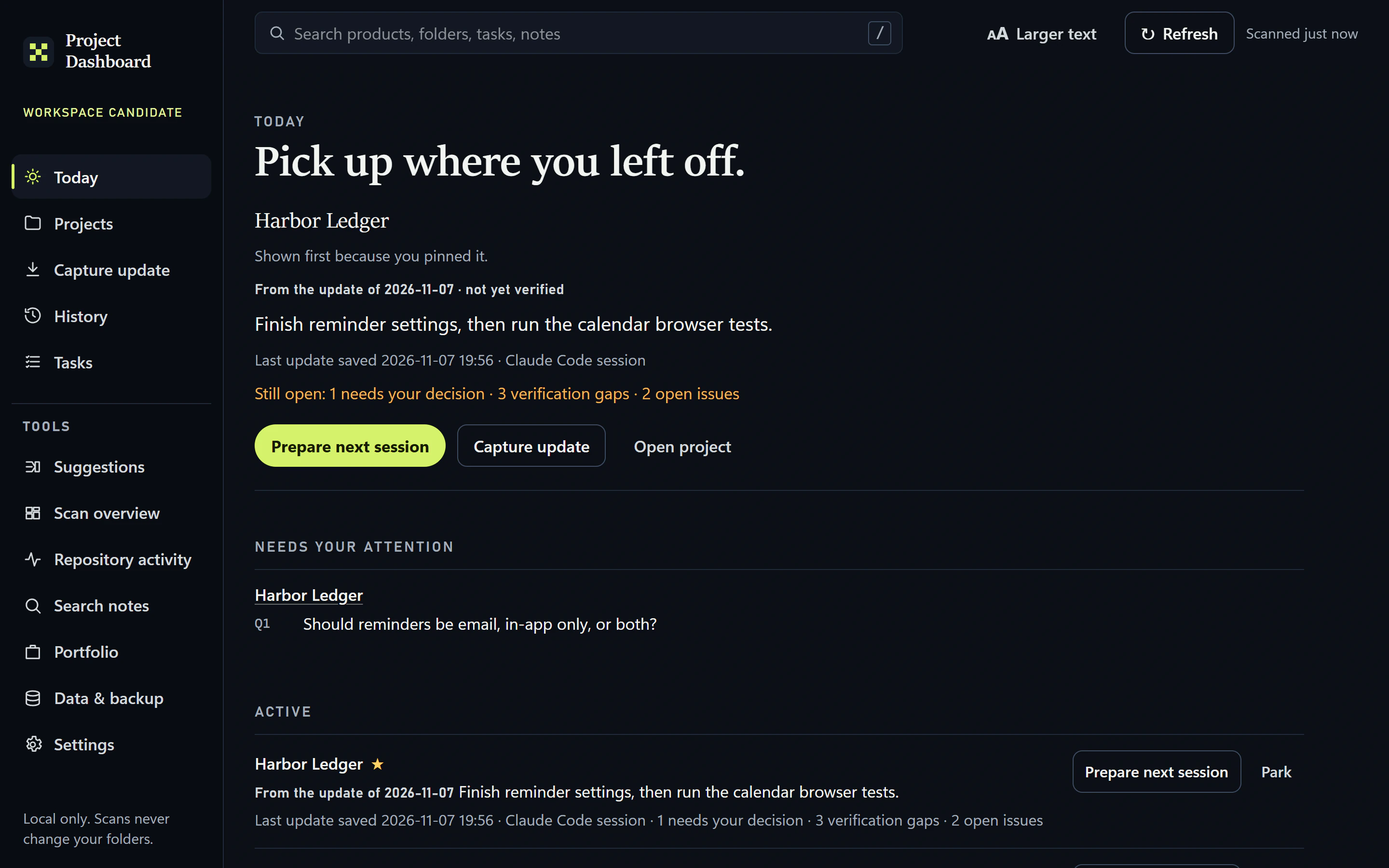
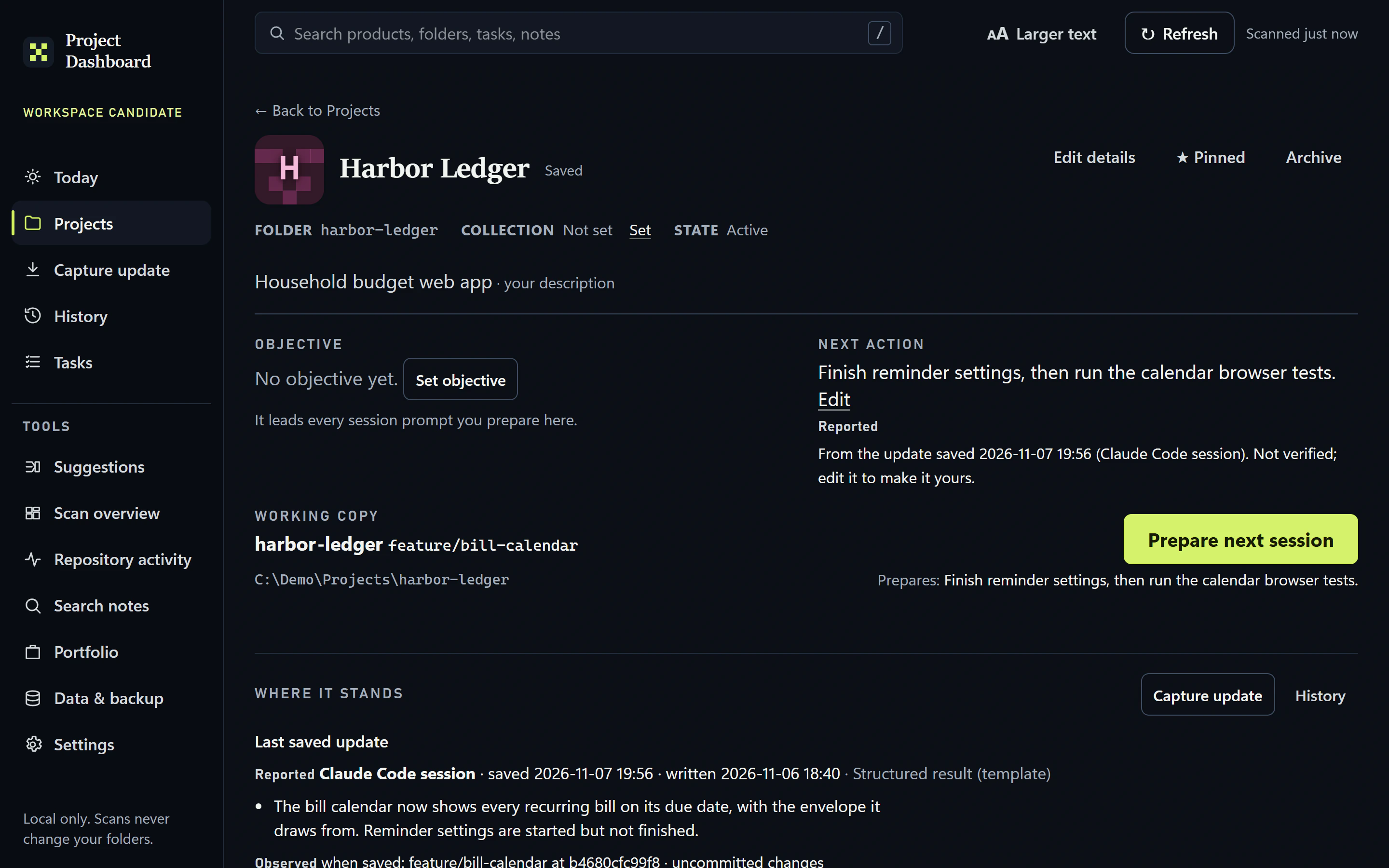
Three labels, kept apart.
Statements about the work carry one of three labels, so a reported claim is kept apart from a decision.
01Observed
What the workspace saw for itself, such as the branch and whether the working copy had changes when an update was saved.
02Reported
What a coding session said it did. It stays marked as not yet verified.
03Yours
The owner’s own decisions and constraints, kept apart from the reports, with earlier versions kept.
One considered decision
A report is not a fact until you say so.
A coding session’s summary stays marked as reported and not yet verified until the person using it edits it into their own words. Decisions and constraints are kept apart from reports, so the next session starts from what was decided, not only from what was claimed.
Where it stands
- StageDevelopment candidate · not accepted
- AcceptanceNot yet accepted or put into use. Development continues.
- One projectIt joins the Project Dashboard and Continuity’s ideas; they are not listed separately.
- LimitsReport screening is a heuristic, not a guarantee. Some older screens and a duplicated report panel remain. On phones, checked only in emulation, a sticky bar can cover a control and the tab strip has no scroll hint.
About the evidence
Captured on Nov 7, 2026 from a clean export of the workspace candidate (app 0.1.0, existing build), with four fictional demo projects in throwaway repositories and two fictional session reports entered through the app. Desktop at 1440 × 900 (2×); the phone layout at 390 × 844 (3×) in an emulated phone; unedited. The candidate has not been accepted for use, and later uncommitted work is not shown.

Let’s make
something useful.
Bring the idea you’ve been turning over. We’ll find a clear place to begin.
Start a project